
Text & writing
Clean a paste, change its case, count words or compare revisions. Keep the result moving into the next tool.
Case / Cleanup / Diff / UnicodeA small job shouldn’t need another service.

From a single HEIC photo to a repeatable document workflow. UltraSuperConverter brings media, text, PDFs and data tools together in a workspace that processes files on your computer.
Inside the app
Use a focused media queue for a quick conversion, find a specialist tool, or build a workflow you can run again. These are screenshots of the actual application.
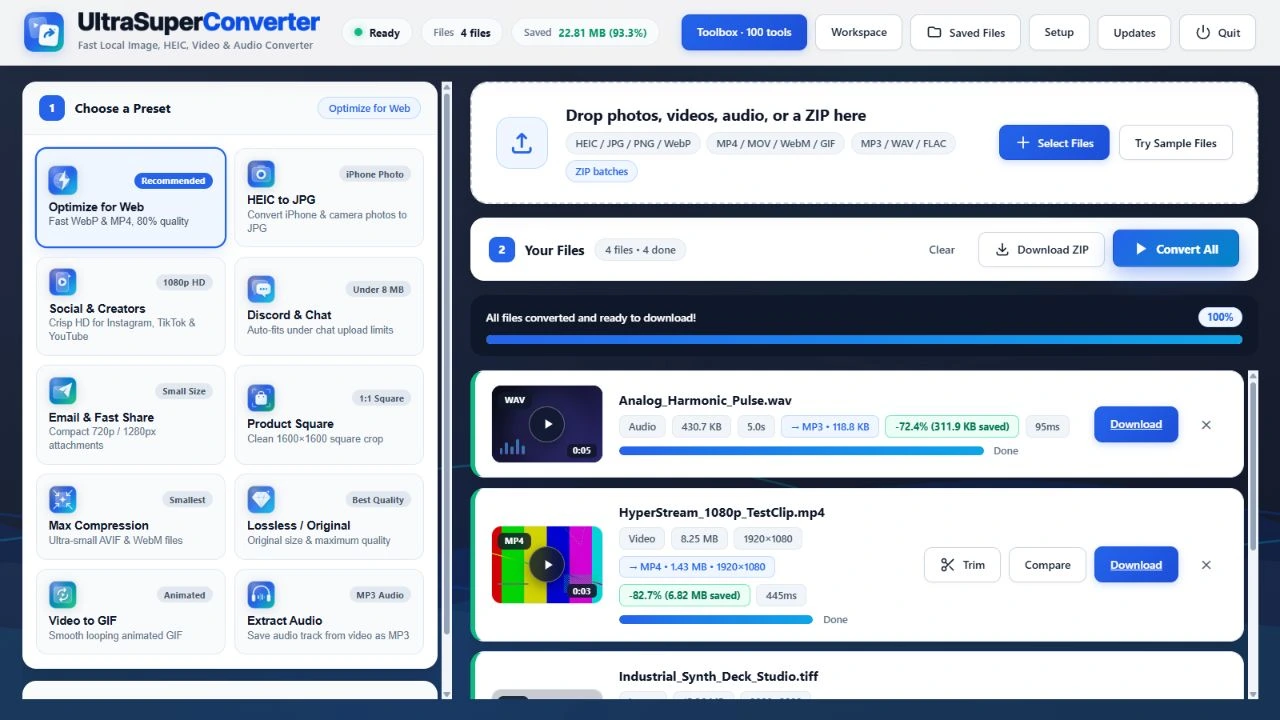
Media Studio
Choose a preset, adjust the details and convert mixed image, video and audio files from one queue.
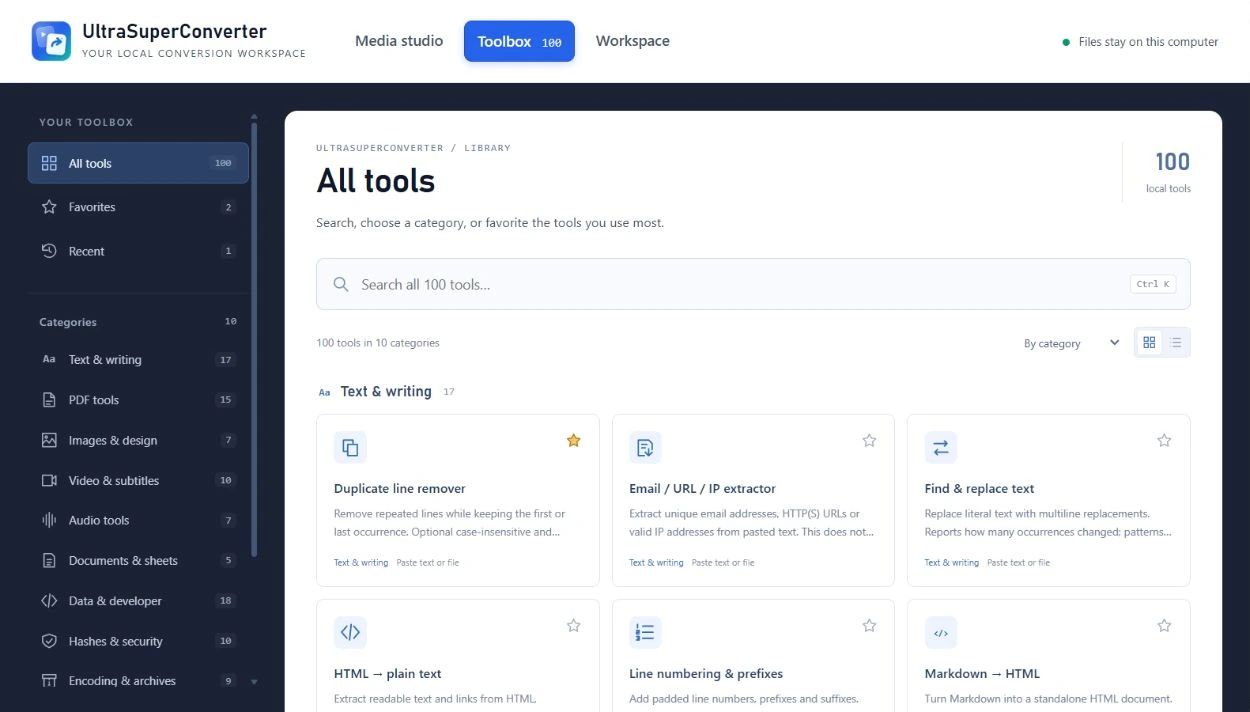
Toolbox
Search the full library, browse ten categories and keep favourites and recently used tools within reach.
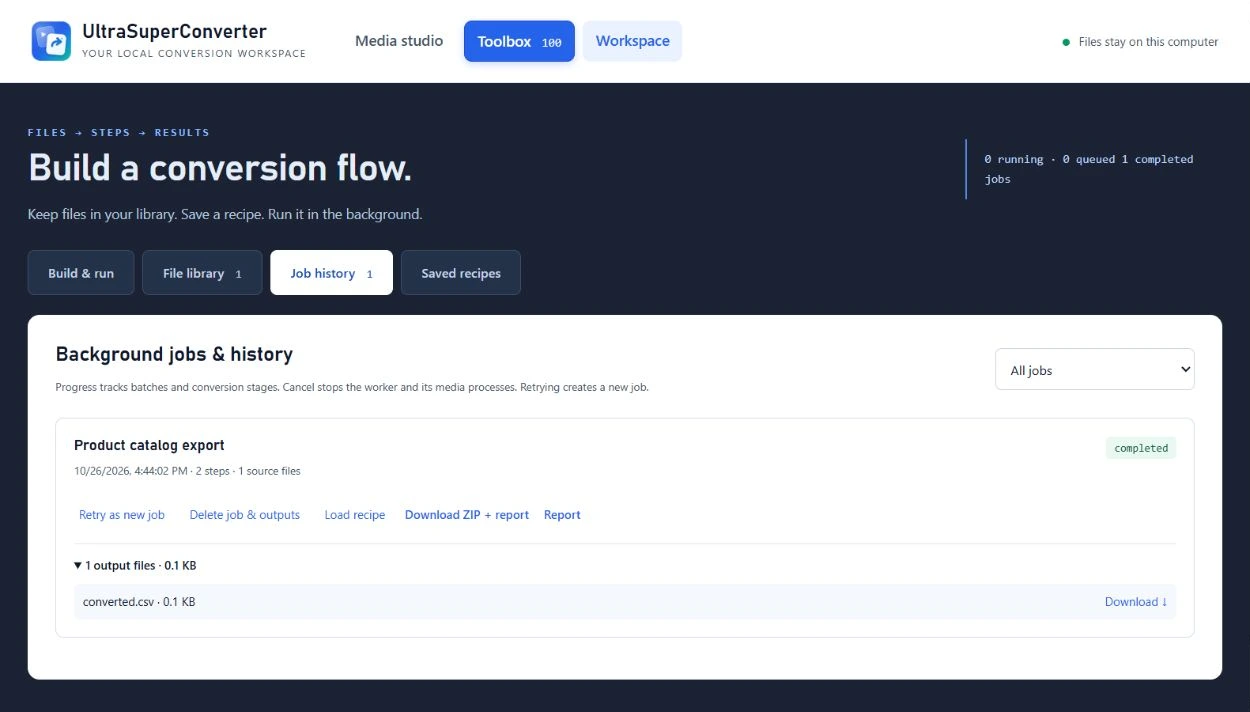
Workspace
Save an ordered sequence of conversions, queue a batch and return to its outputs, history and report.
Across the toolbox
Search the library, browse by category, save favourites and revisit recently used tools. The same local processing approach runs through the whole app.
Clean a paste, change its case, count words or compare revisions. Keep the result moving into the next tool.
Case / Cleanup / Diff / UnicodeMerge, split, compress and watermark PDFs. Extract text, prepare Word files and work with spreadsheets.
PDF / DOCX / XLSX / MarkdownConvert HEIC photos, build responsive image packs, crop, add watermarks and inspect before-and-after results.
HEIC / WebP / AVIF / PNG / JPEGTrim a clip, extract a soundtrack, build a slideshow or process a batch with the right delivery preset.
MP4 / WebM / GIF / MP3 / WAVMove between structured formats, format source, test an expression or decode a QR image without leaving the local workspace.
JSON / CSV / YAML / XML / CodeCalculate checksums, create HMACs, generate passwords or encrypt and decrypt with AES-256-GCM.
SHA / HMAC / AES-GCM / PasswordsRepeatable work
Workspace turns a sequence of conversions into a saved recipe. Run it on individual files or a combined batch, then inspect the output and its report.
Import files or a folder. Search, choose and order the inputs.
Connect up to eight steps, with file filters and output naming.
Follow stage progress. Cancel or retry a job when needed.
Download results individually or as a ZIP with its report.
A library that stays useful. Files carry SHA-256 fingerprints, and saved recipes and job history persist locally between sessions.
Keep working while it runs. Closing the browser page leaves jobs running while the local engine stays on. Stopping the engine interrupts active work; pending jobs resume on restart.
Under the interface
A Node.js and Express application connects the interface to purpose-built local engines. Conversion files are processed on the computer, without an external conversion service.
On your computer
Sharp/libvips handles image work, with FFmpeg and FFprobe for video and audio. PDF-lib and PDF.js cover PDF manipulation and rendering; ExcelJS and document libraries handle structured office files.
A separate Node worker runs saved recipes and reports stage progress. The workspace keeps job history, supports cancellation and retry, and recovers pending work when the local server restarts.
Output naming templates and collision handling keep a batch organised. ZIP bundles carry the results alongside a conversion report and checksums, including partial successes when an input fails.
A portable Windows home
The Windows x64 release bundles the launcher, Node.js runtime and conversion engines. Extract the ZIP and open the app in your browser, without installing Node.js separately.
Files, results, recipes and job history live in a Data folder alongside the app. Favourites and recent tools stay in the browser profile.
View Windows releaseStart a conversation
A practical problem. An ambitious idea. A system that could work better. Tell me what’s on your mind.
What would you love to stop doing manually?
One small hello. A new possibility.
Thanks for reaching out. I’m looking forward to hearing more.
Sent to Kevin