
Choose your view
Pick a Chrome tab, a window or a screen in the browser’s own sharing picker.

Show them what you mean
Some things are easier to show than explain. Windowlink turns a chosen view into a shared conversation, with guest approval, chat and drawings built around the screen.
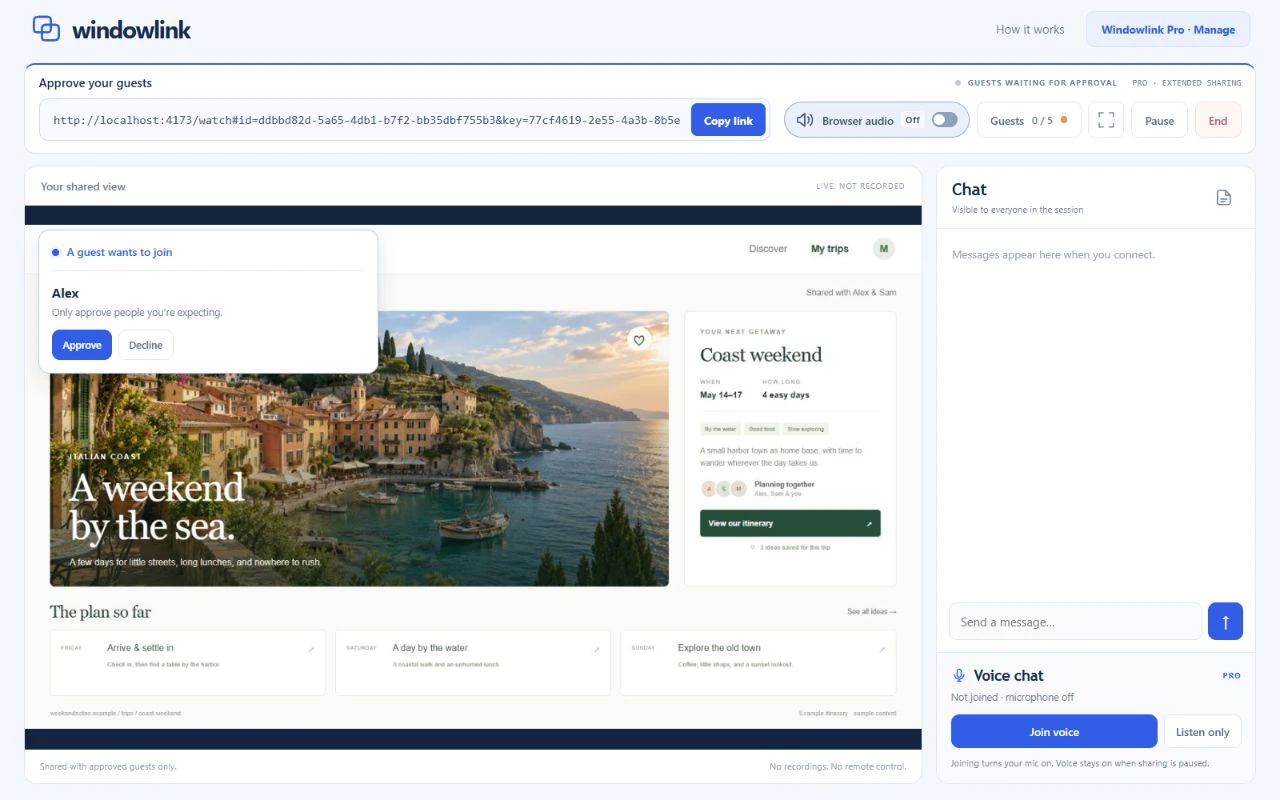
Pick a Chrome tab, a window or a screen in the browser’s own sharing picker.
Copy the session link. Guests open it in their browser, with nothing to install.
Decide who gets in before they see your chosen view. Keep control throughout.
The product in motion
Plan a trip, review a design or help someone find the right button. The same shared view makes the conversation easier to follow.
40-second product film · Actual app screens with fictional sample content
Watch on YouTubeStill sending screenshots back and forth? Show them what you mean.
With Windowlink, choose a window, send a link, and you’re sharing. Your guest opens it in their browser. You approve who gets in.
Plan a trip, review a design, or help someone find the right button. Chat beside the screen, and draw on the view to make your point.
Go full screen without losing the conversation. Pause or end sharing whenever you’re done.
With Pro, share without a time limit. Invite up to five guests, talk, and send files they accept.
Start sharing for free. Add Windowlink from the Chrome Web Store.
Inside the interface
The screen stays central. Chat, drawings, voice and files support the conversation, while the host’s sharing controls stay close at hand.
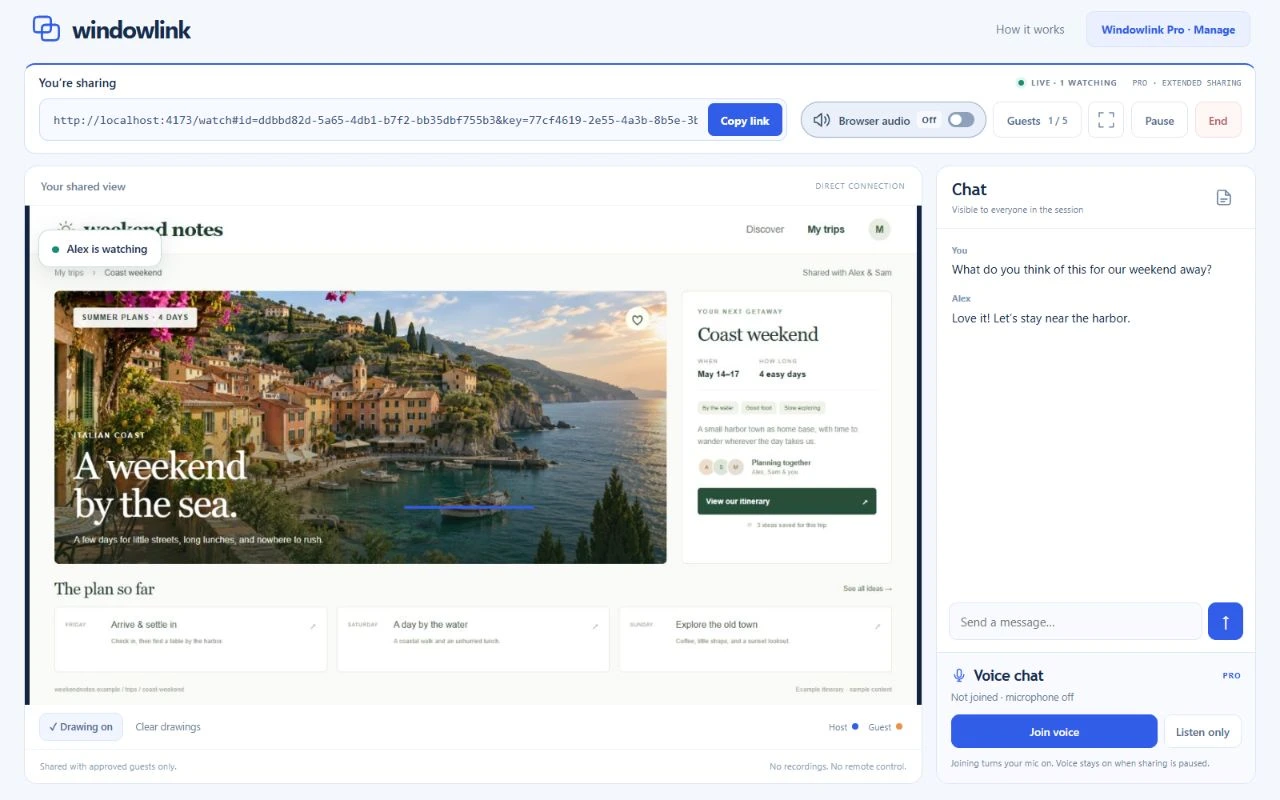
Session chat sits beside the shared view. Shared drawings let people point to the same thing instead of describing where to look.
Guests open the link in their browser and request access. The host approves or declines each person before sharing the selected view.
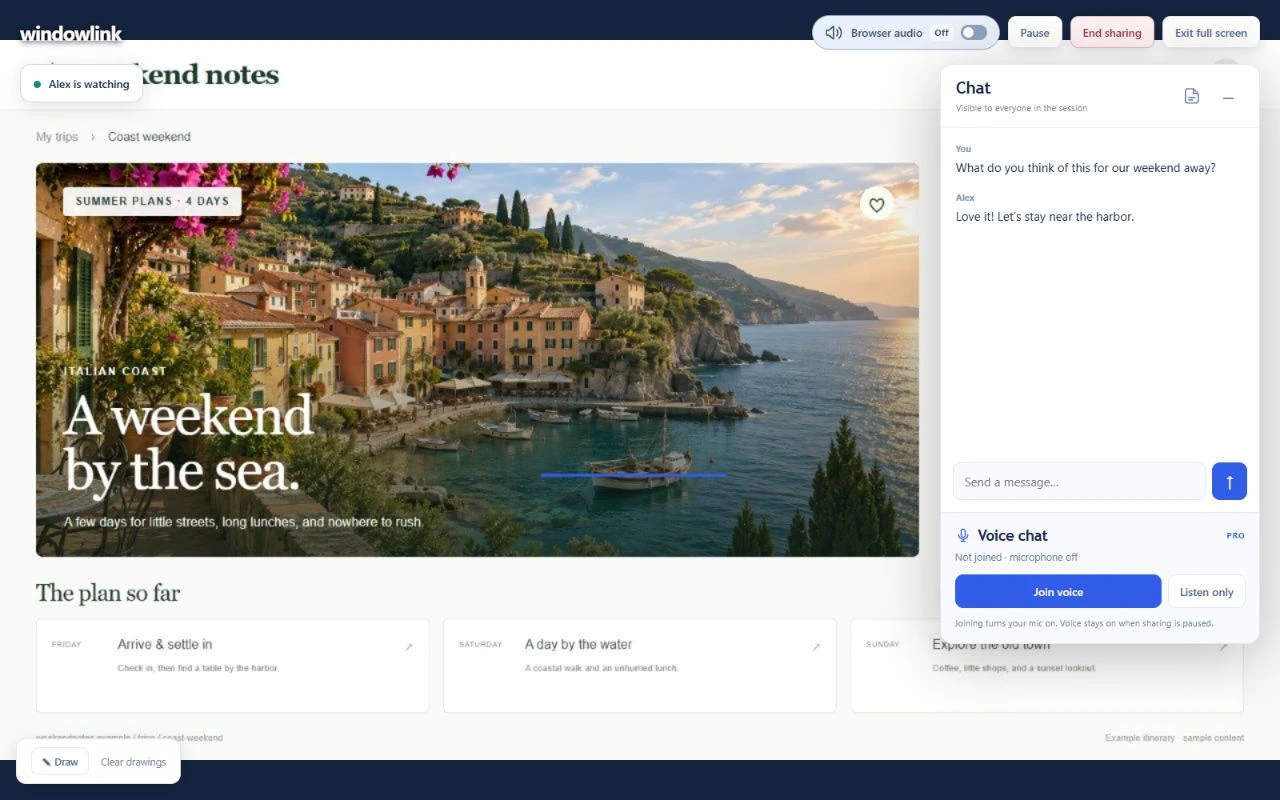
Expand the shared screen, move or minimise the chat panel, and keep pause, browser audio and end-sharing controls available.
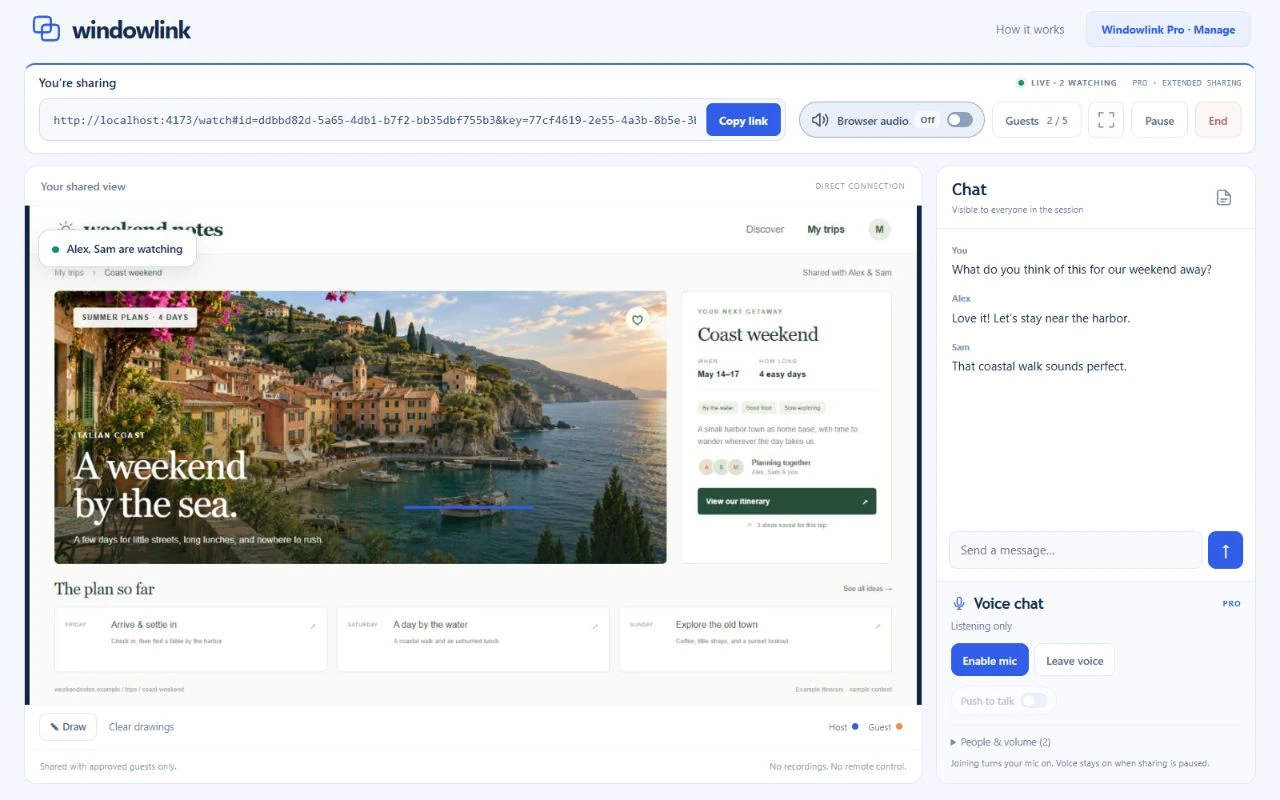
Pro adds optional voice chat, listen-only mode, microphone mute, per-person volume and push to talk. Voice can continue while screen sharing is paused.
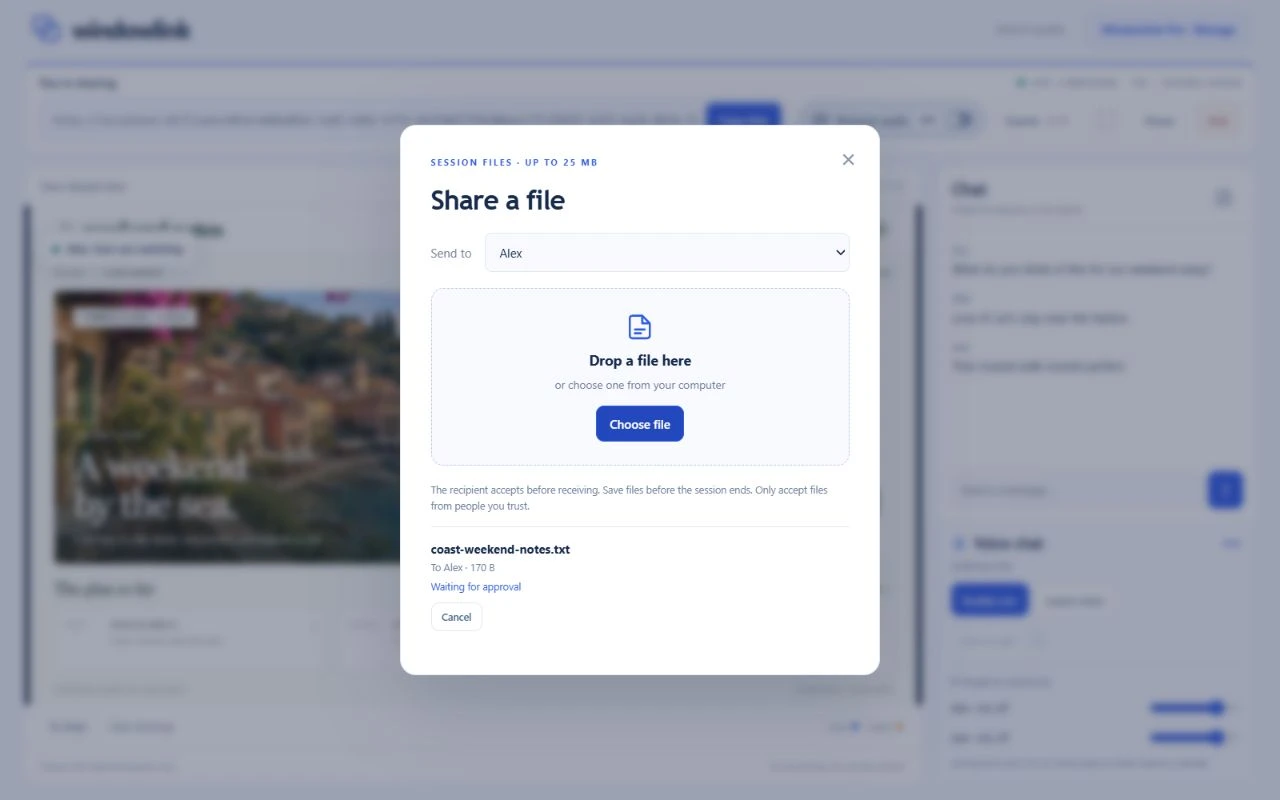
Offer a file up to 25 MB to an approved participant. The recipient accepts before transfer begins, and files are never opened automatically.
The design decision
A session link gets someone to the door. It doesn’t let them straight in. Approval belongs in the flow, alongside the tools that make collaboration useful.
Chrome’s capture picker sets the boundary: one tab, a window or the screen. Browser audio is optional and depends on the chosen source and platform.
Approve or decline requests, see who is connected and remove a guest when needed. Pro uses the same link for up to five individually approved guests.
Pause the shared view or end the session, including from full screen. Ending revokes the invitation. Voice has its own mute and leave controls.
A file offer goes to a chosen participant. They accept before receiving it, and the app never opens it automatically.
Under the shared view
JavaScript, WebRTC and a small Cloudflare service connect the sharing experience. The browser handles capture and collaboration; the service coordinates who can join.
Selected screen, optional audio, chat and shared drawings
Approved shared view, conversation and accepted file transfers
Signalling coordinates the room. WebRTC carries screen media and collaboration data between participants, using a relay when a direct path isn’t available.
Canvas drawings track the shared view. Voice and file tools use browser peer connections and data channels, with explicit participant and transfer controls.
Windowlink doesn’t make server-side recordings or retain session chat, drawings or file copies. Participants can still record their screens or save received files.
Start with a shared view
Screen sharing, session chat and shared drawings. The timer starts when the first guest is approved.
Individually approved guests, optional voice and push to talk, plus recipient-approved file transfers up to 25 MB.
Use desktop Chrome to host and keep the sharing tab open. Guests join in their browser. Connections depend on network conditions and service capacity. Browser audio varies by source and platform. Windowlink provides screen sharing, not remote control or built-in recording.
Start a conversation
A practical problem. An ambitious idea. A system that could work better. Tell me what’s on your mind.
What would you love to stop doing manually?
One small hello. A new possibility.
Thanks for reaching out. I’m looking forward to hearing more.
Sent to Kevin